


AI Agents for Enterprise and How to Use Them
Running enterprise operations requires dealing with many systems, large data volumes, and constant changes. Employees can’t watch everything at once. AI agents are there to analyze data, complete tasks, and act autonomously inside enterprise environments.
Enterprise agents use agentic AI to plan actions, handle exceptions, and work with external tools, while letting you stay in control through human approval where needed.
This article explains how businesses apply these artificial intelligence agents in different areas.
TL;DR
- AI agents for enterprise help you manage complex work in your systems with built-in control.
- AI agents represent a move beyond basic automation toward systems that can reason and act.
- Different agent types handle support, knowledge, actions, or large multi-team workflows.
- Activepieces lets enterprises build and run AI agents on existing tools, with approvals and security controls.
Why Enterprises Use AI Agents
Enterprises deal with too many tools and problems for people to handle everything by hand. Here are the main reasons businesses employ AI agents:
- Intelligent agents can leverage external tools or APIs to orchestrate end-to-end workflows.
- Agents break complex tasks into manageable components so that larger projects don’t fall apart halfway through.
- Faster decision-making happens when agents scan large datasets in seconds.
- Many teams use agents to handle routine tasks while flagging issues that require human expertise, so people step in only when needed.
- AI agents continuously learn from past interactions and adapt to increasingly more complex challenges and changing user expectations over time.
- Security teams rely on agents that analyze network traffic and identify suspicious activities to implement containment measures when necessary.
- Leaders use agent insights since they support strategic planning and can give your business a competitive advantage by anticipating market shifts and customer needs.
Types of AI Agents for Enterprise
Check out common types of AI agents enterprises use.
Assistive Agent
Assistive agents stay close to you and never act alone. You ask for help, and they respond. Many people also call these AI assistants, as they help with tasks like writing a draft, summarizing a long document, and pulling answers from company files.
These agents rely on language models to understand requests and reply in plain language. And before anything moves forward, assistive agents wait for human approval, so you still have control over processes.
Knowledge Agent
Knowledge agent systems focus on understanding your company information by going through policies, tickets, and databases, then connecting the dots. Let’s say you ask about a delayed shipment. It goes through the knowledge base and gives you an exact answer, not a bunch of documents.
They run on agentic AI systems that combine knowledge retrieval with reasoning. The agent checks data sources, compares results, and forms a response.
That’s why you can use knowledge agents to generate reports, answer policy questions, or track changes that affect compliance.
Action Agent
Action agents complete tasks inside enterprise systems like customer relationship management (CRM) platforms, billing tools, or ticketing software. They break work into multi-step processes and carry each step out in order.
These agents connect to external systems through APIs and use specialized tools to complete tasks. Errors trigger checks and retries, which help you avoid delays and reduce manual effort.
Multi-Agent System
Multi-agent systems do large-scale tasks by using multiple agents that work together. Each agent focuses on one part of the problem: researching, checking rules, and finishing the task.
Multi-agent collaboration allows work to move faster and stay accurate. Larger multi-agent frameworks rely on shared agent frameworks to coordinate tasks and combine results, too.
You can use these systems for complex cases:
- Fraud checks
- Global logistics
- Onboarding that spans several teams
Real Examples of AI Agents for Enterprise by Department
Real-world AI agent examples can help make sense of how these systems work and offer business value in different departments, such as:
1. AI Agents for IT and DevOps Teams
Here are common reasons why IT and DevOps teams use AI agents.
Incident Response
Systems tend to fail because apps depend on many services that can break when you make changes. Your developers can’t spend their entire day watching logs and alerts.
Incident response agents do that for you. They monitor everything continuously, such as :
- CPU usage
- Error rates
- Recent deployments
- Dependency health
Once the agent understands the cause of the issue, it can act autonomously when the fix follows a safe rule. It can add server power during a traffic surge or restart frozen services. You still get notified, but you don’t need to do anything unless the situation looks risky.
After recovery, the agent generates a report for you. It logs what broke, what changed, and how the fix worked. Over time, those reports help you reduce repeat outages and keep systems stable.
User Provisioning
Once you use many software programs, access problems often happen. User provisioning agents watch HR systems all the time.
When someone gets marked as hired, the agent reacts immediately. It checks the role, team, and location, then creates accounts and permissions in email, chat, cloud tools, and internal apps.
Access keeps changing after onboarding, too. The agent tracks those changes and adjusts permissions. For instance, if you need server access for a few hours, the agent grants it and removes it on time.
When someone leaves, access shuts down everywhere at once. No forgotten accounts.
How Activepieces Helps in User Provisioning
Activepieces uses role-based access control (RBAC) to manage what you can see and do within a project. It provides four default roles out of the box: Admin, Editor, Operator, and Viewer.
When the default roles don’t fit your requirements, Activepieces allows you to create custom roles with fine-grained permissions.
To create a custom role:
- Navigate to Platform Admin → Security → Project Roles
- Click “Create Role” and assign a name
- Select the specific permissions you want this role to have
Custom roles give you precise control over who can perform which actions within a project.
2. AI Agents for Security and Compliance
Security and compliance teams use AI agents as rules change fast.
Policy Enforcement
Keeping up with rules is hard since privacy laws change often and internal policies grow every year. Expecting employees to remember all of that can lead to mistakes.
Policy enforcement agents watch actions as they happen. They check:
- Emails
- File sharing
- Database access
- Payments
Each action gets compared with current rules and laws.
The agent further knows who acted, what data they touched, and why it matters. Sharing data with a trusted partner differs from sending it to a personal email. That understanding cuts down false alerts while still protecting your company.
Every decision also creates a record. Audit trails help you refine agent behavior and maintain operational oversight, so you can catch risks earlier.
Audit-Ready Workflows
Audit-ready workflow agents record actions as work occurs: payments, approvals, deployments, and data access. The agent checks each step and records who approved it, when it happened, and why it followed policy.
Missing steps stop the process immediately. For example, an invoice without approval won’t move forward. That prevents problems before they turn into audit findings.
When you ask questions, reports generate instantly, so you can run cleaner processes every day.
3. AI Agents for Sales and Revenue Operations
Sales work falls apart when context shows up late. AI agents step in to keep that from happening.
Lead Routing and Enrichment
As a new sales lead appears, it rarely comes with enough information to act on right away. At best, you see a name and an email. But that’s not enough to decide who should reach out or how. Typically, you need to browse through profiles, company pages, past notes, and other sources of information.
With a lead routing agent, you can pull together company details, job roles, activity signals, and recent behavior. The agent understands that someone who checked pricing and returned twice is very different from someone who skimmed a blog post once. It then adjusts the lead’s priority.
For instance, for routing, the agent looks at who on the team has closed similar deals, who knows that market, and who can respond quickly.
By the time you reach out, you know why the lead showed interest and how to approach them, which changes the entire conversation.
How Activepieces Helps in Lead Qualification and Routing
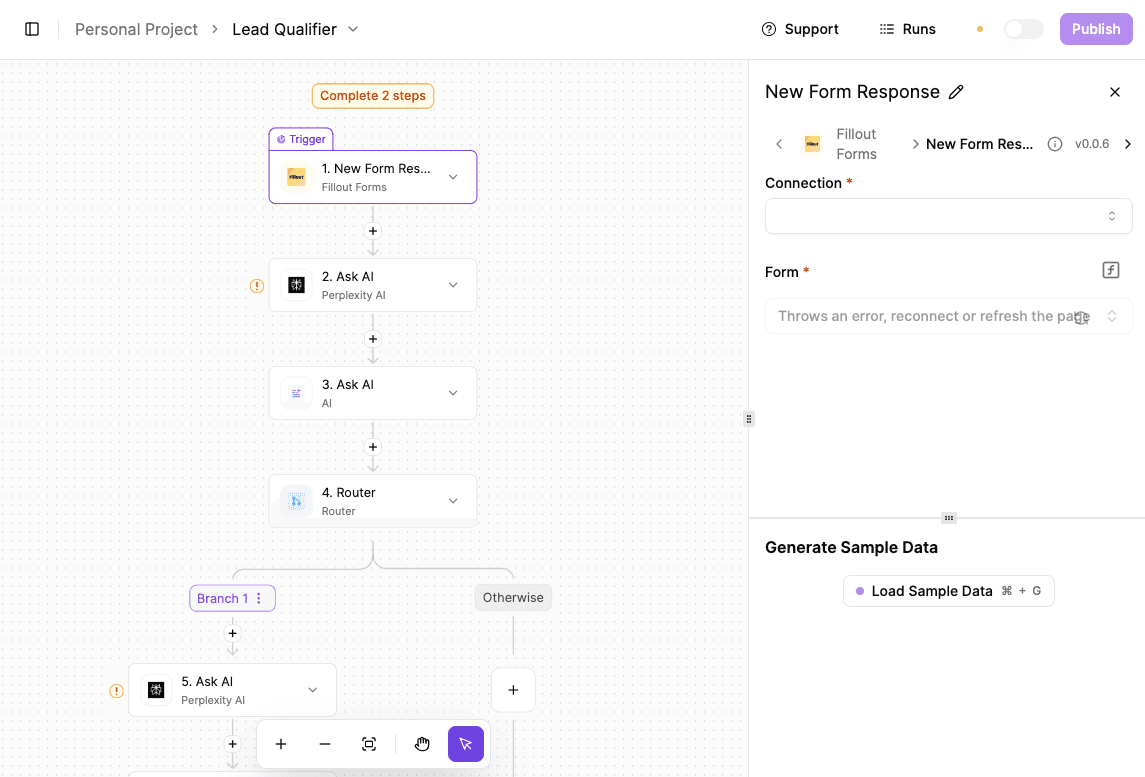
The lead-qualifier flow qualifies inbound leads before they reach HubSpot (or a different CRM) by researching the submitted company, scoring fit against your ideal customer profile (ICP), and routing only strong leads forward.
Follow these steps to set up lead qualification in Activepieces:
- Create a new automation with a “New Form Response” trigger from Fillout. When the form is submitted, the workflow begins automatically. The company name collected in the form is used as the primary input for all AI steps.
- Add an “Ask AI” action using Perplexity AI to research the company. This step pulls high-level company context from public sources, such as:
- What the company does and who it serves
- Industry, market positioning, and business model
- Company size, funding stage, and growth signals
- Add an “Ask AI” step using OpenAI to score the lead. Provide:
- Your product description
- The researched company context
- The weighted lead-scoring framework
- Insert a “Router” after scoring. Configure it so:
- Leads with a score greater than four continue down the qualified path
- Lower-scoring leads exit the workflow
- For qualified leads, add another Perplexity AI step to generate structured company data suitable for CRM enrichment.
- Complete the flow by creating or updating the company record in HubSpot using the enriched fields.
CRM Updates and Forecasting
CRMs drift out of sync when updates depend on memory. Calls end, notes get skipped, and deals stay marked as “healthy” even when nothing moves.
CRM update agents stay active during conversations. They notice:
- Budget talk
- Urgency
- Hesitation
- Changes in tone
The deal stages and timelines get updated automatically. Forecasts improve since numbers reflect real behavior.
4. AI Agents for Finance and Accounting
Finance teams need clean records and clear reasoning, and AI agents give you that through:
Approvals and Reconciliations
Financial data arrives from too many places to track manually: invoices, bank transactions, and receipts.
Agents for approval and reconciliation pull all that information together with minimal human intervention. Even a slight difference stands out to the agent since it understands discounts, timing gaps, and partial payments. When something truly looks off, it reaches out for clarification.
Since you see context immediately, approvals move more quickly. Every action leaves a record, which reduces human error and removes stress during audits.
Reporting Workflows
Reporting agents turn raw numbers into explanations. Data flows in from finance, sales, and payroll systems.
Variations get analyzed, and reasons get written clearly. Generating reports stops being a manual task and becomes an ongoing process you can question and explore.
How Activepieces Helps in Reporting
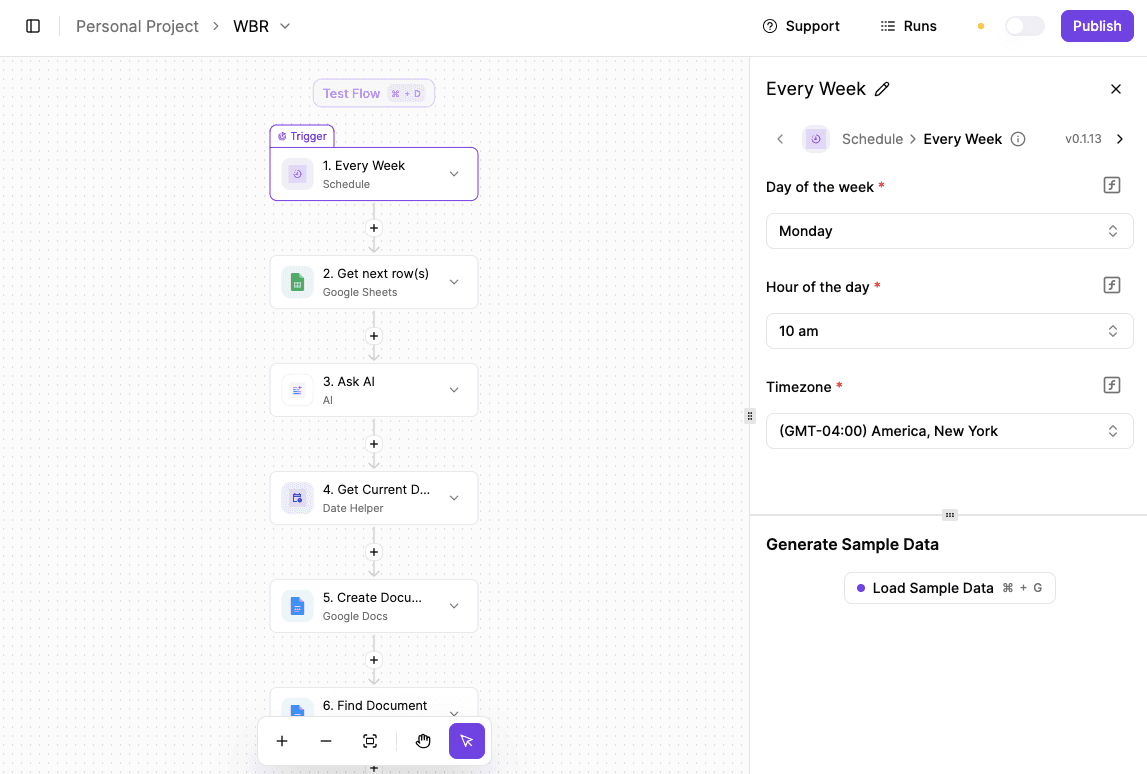
The workflow generates a recurring management report by analyzing weekly operational data, formatting it into a document, routing it for review, and resetting the source data for the next cycle.
- Set up a scheduled trigger that runs once a week, such as every Monday. Throughout the week, metrics, tasks, and accomplishments are logged into a dedicated Google Sheet used for WBR tracking.
- Add an “Ask AI” step using a text or LLM-based AI piece. Pass in the collected sheet data and instruct the AI to:
- Analyze performance
- Summarize progress
- Generate a structured Weekly Business Review report
- Include a step to retrieve the current date so it can be added to the report title.
- After the report content is generated, add a “Google Docs – Create Document” action. Use the AI-generated output as the document body and include the date in the document name.
- Once the document is created, send it to Slack by posting the document link to a team channel or manager for review and approval.
- Add an approval or conditional step that waits for confirmation in Slack.
- After approval, use a loop to delete all rows from the WBR tracking Google Sheet, which leaves it clean and ready for the next reporting period.
5. AI Agents for Human Resources and Internal Operations
HR teams use AI agents in:
Employee Onboarding
Onboarding agents coordinate everything early, such as creating accounts, setting up payroll, and organizing employee training.
Questions get answered in chat. AI solutions support human employees by guiding them through everything during the first weeks.
Request Handling
Requests pile up fast and slow everyone down: leave changes, equipment needs, and policy questions eat time.
Request-handling agents manage routine tasks like data input, appointment scheduling, and simple customer questions. Employees ask once and get results.
Enterprise productivity increases when human workers focus on real issues rather than tickets.
Why Enterprises Use Activepieces to Run AI Agents
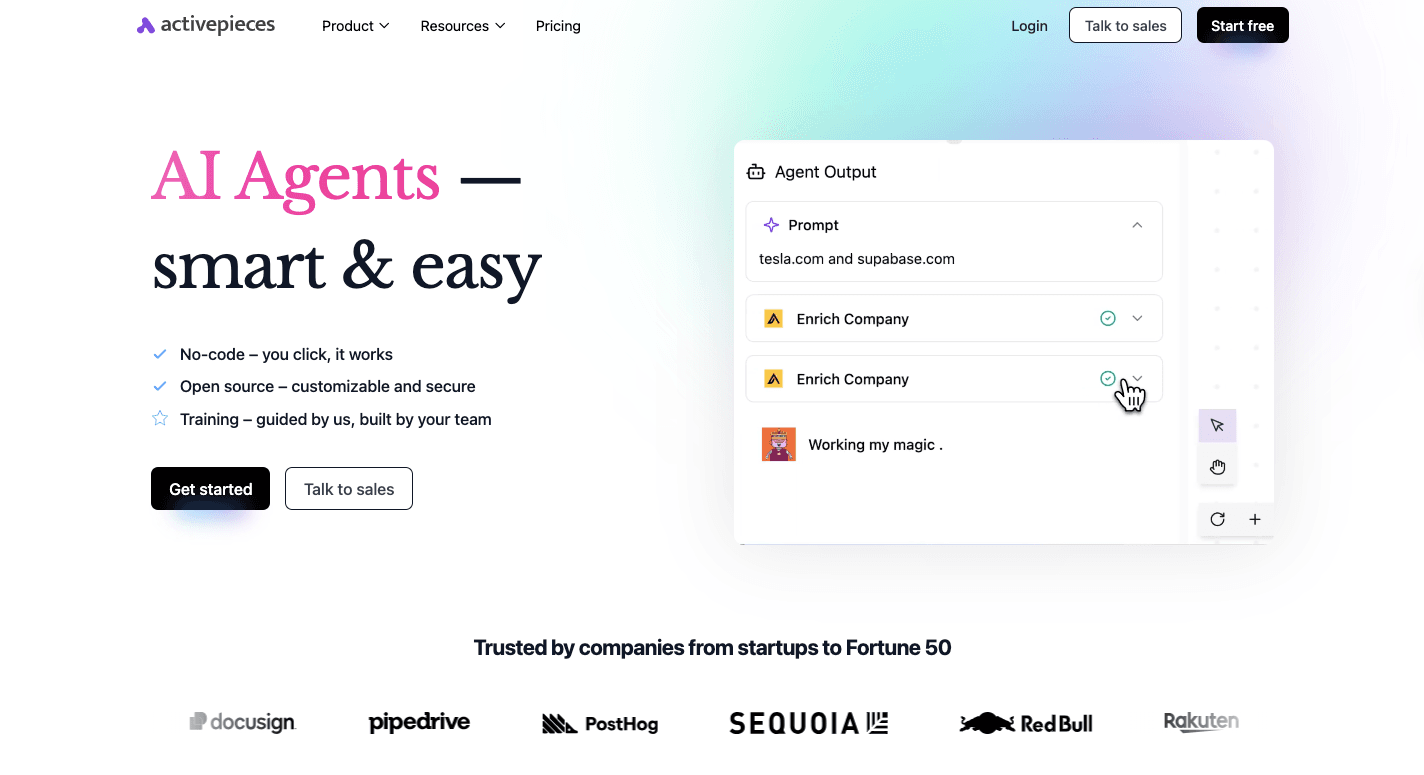
Once AI agents move past demos and start working on business processes, things get serious fast. Agents deal with approvals, customer data, and systems that cannot break.
AI automation still requires guardrails, too. Activepieces supports that through human-in-the-loop oversight, so agents pause when a decision needs judgment. You decide where humans step in, where approvals happen, and where automation can safely continue on its own.
After setup, even when you’re a non-technical user, you can adjust flows by yourself since Activepieces is a no-code tool. On the other hand, developers can control how logic, permissions, and AI capabilities work.
It supports self-hosting and isolated environments to protect sensitive data.
Popular Activepieces Integrations
Activepieces fits into your setup by connecting to your existing systems, which is why you don’t need to replace tools to run AI agents for your complex processes.
Currently, you can integrate with 559+ pieces, such as:
- Salesforce
- HubSpot
- Microsoft Dynamics
- Zoho
- Oracle
- Google Sheets
- Airtable
- Zendesk
- Jira
- Zoho Desk
Internal APIs and specialized tools connect through the model context protocol (MCP), so data integrations let agentic AI tools for enterprise operations to retrieve information, update records, and complete tasks.
Deploy Enterprise AI Agents Effortlessly With Activepieces
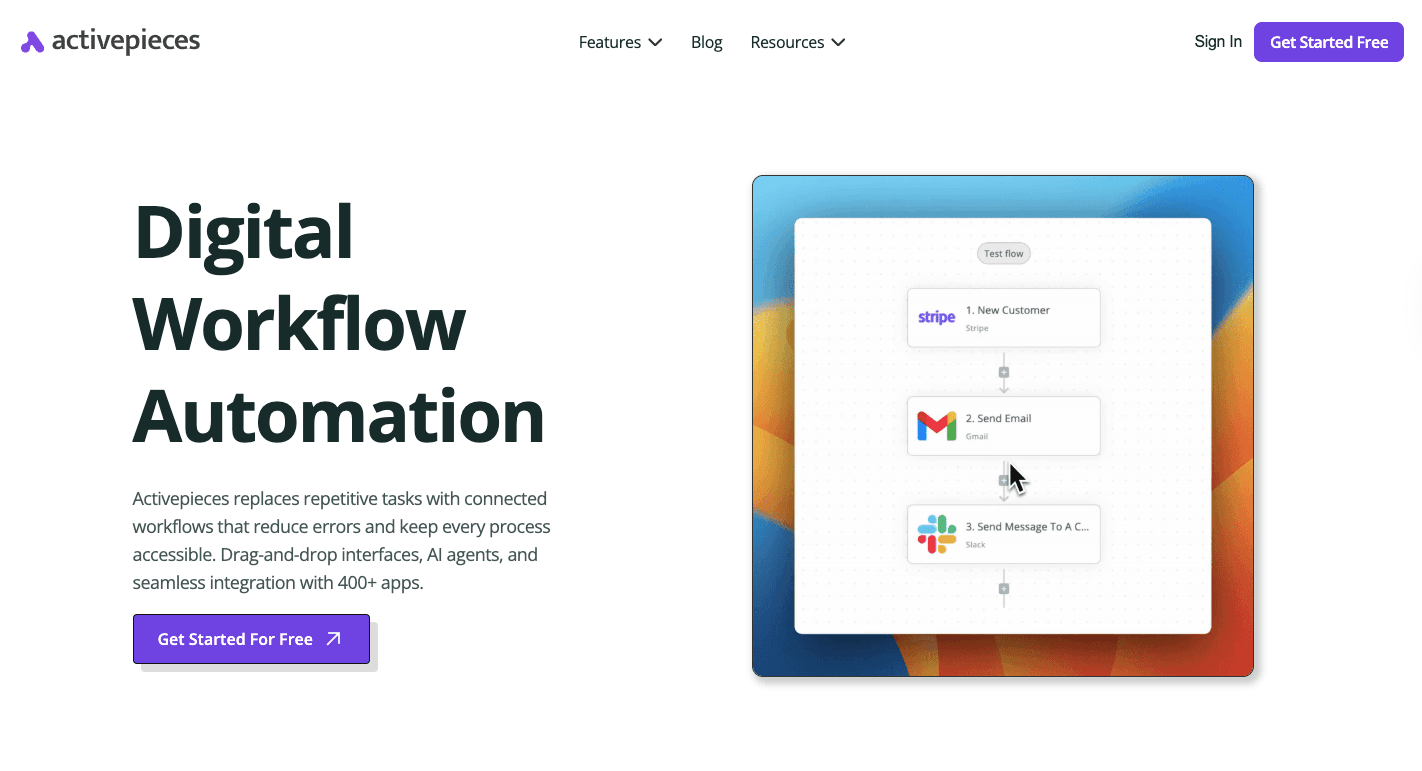
Many enterprises have data silos since information gets trapped in different systems. Activepieces is a workflow automation platform that lets you connect your tools once, then start building AI agents that can move through complex workflows and not break when conditions change.
You can create advanced AI agents that integrate data from multiple sources and operate on internal and external systems. When an agent reaches a step that needs judgment, you can add human approval.
Build advanced AI agents with human approvals where they matter. Reach out to our sales team!
FAQs About AI Agents for Enterprise
What is the difference between AI agents and automation tools?
Automation tools follow fixed rules. You tell them exactly what to do, and they repeat it the same way every time.
AI agents, in contrast, adjust steps, react to new inputs, and decide what to do next based on context. Enterprise AI agents are intelligent systems that help you handle high-volume, content-heavy work by delivering accurate answers.
Can AI agents integrate with existing enterprise systems?
Yes, AI agents connect to CRMs, databases, ticketing tools, and internal software, so work doesn’t stay trapped in silos. That connection lets them pull information, update records, and trigger actions inside tools you rely on.
What are the common features of AI agents?
Most AI agents support knowledge retrieval, risk analysis, and agent performance tracking.
How do AI agents work?
AI agents combine large language models, machine learning, reasoning capabilities, and external tool integration. By integrating AI models like LLMs, agents can handle complex reasoning and automation while interacting with real systems.