


What Is a Business Process Automation Platform?

As your organization grows, business operations become harder to manage. Business process automation gives you a way to automate daily tasks and manage business processes without relying on constant human effort.
Many businesses now depend on automation to improve efficiency by cutting delays caused by manual processes, increase productivity by automating data entry and follow-up tasks, and support digital transformation through system-led workflows.
This article is your complete guide to learn what these platforms do and how you can choose the best business process automation tools.
See what business process automation looks like when Activepieces runs it. Explore it today!
TL;DR
- A business process automation (BPA) platform runs end-to-end workflows across tools and teams, replacing manual handoffs with rules, approvals, and real automation.
- The biggest benefits include faster operations, lower costs, better data accuracy, and quicker decisions through real-time visibility.
- Activepieces stands out with open-source flexibility, AI-powered workflow automation, hundreds of integrations, human-in-the-loop controls, and predictable pricing.
What Is a Business Process Automation Platform?
A business process automation (BPA) platform uses software to streamline workflows by replacing manual handoffs, email-based approvals, and status checks with system-driven steps.
These platforms also support complex business processes that involve approvals, data checks, and handoffs between tools.
BPA software evolved from business process management (BPM), which focused on documenting work rather than automating it. Many companies use these platforms to automate repetitive tasks that slow people down in daily operations.
The system connects finance tools, email, and internal databases, so work moves forward based on rules. That setup reduces manual work and limits human error during routine steps.
Some of these platforms even support low-code development, which helps business users build logic without writing scripts.
BPA Tool vs Robotic Process Automation Software
Robotic process automation (RPA) uses bots that act like a person on a screen. Teams typically adopt it when software lacks an API or needs quick help with automated processes in older tools.
A BPA software, on the other hand, connects to systems through integrations, so the logic remains consistent even when apps change.
Companies trust BPA software with mission-critical processes because it enforces the same rules every time and doesn't rely on manual steps or memory. Integrations run through APIs, so app updates don't break the logic, and every action is logged for audits and compliance.
BPA Tool vs Project Management Platform
Project management tools help you plan and track work. Businesses usually use them for daily tasks that change often, like a campaign or a product launch.
You still keep the board updated, so progress depends on clicks and follow-ups.
A BPA platform, on the contrary, runs work without waiting for someone to move a card. Automation triggers actions when events happen, such as a signed contract or an approved request.
That setup helps you increase productivity by replacing card updates and reminders with automatic, rule-based actions.
Benefits of Business Process Automation Software
You get multiple benefits of business process automation when you stop relying on people to push work forward and let software handle the repeatable parts, such as:
Work Moves Faster
Work finishes faster when automated business processes run in order with fewer pauses and handoffs. Approvals stop sitting in inboxes, and you spend less time chasing updates, which helps save time on work that adds no real value.
Employee productivity further improves when the platform shows where work sits and why it stopped. You can also spot delays fast and fix weak steps to boost organizational efficiency without adding more staff.
Cost Reduction and Resource Optimization
Costs fall when you stop paying the hidden price of rework, missed steps, and slow approvals.
A BPA platform can route requests, enforce rules, and push updates so your teams avoid the cycle of repeatedly fixing the same mistakes.
That shift lets you focus your existing staff on more complex tasks that require context and skill. People spend less time on admin work and more time on work that directly supports revenue, retention, or service quality.
Better Data Accuracy and Compliance
Data problems often start with small mistakes that spread between systems. Automation can validate key fields, log each action, and keep records consistent, which makes audits less painful and reduces avoidable risk.
You can also optimize business processes by tracking where errors and delays happen most often.
Faster Decision-Making With Real-Time Automation
Real-time reporting helps decision-makers act on current information.
In addition, it gives greater visibility into business processes by showing where requests sit, how long each step takes, and which approvals are causing delays, so it's easier to adjust routing, staffing, or rules before a backlog grows.
Since you see problems early and change course quickly, you streamline processes. Less human error follows since the platform applies the same rules each time, even during busy periods.
Key Features You Should Expect From a BPA Software
Selecting BPA software gets easier when you focus on key features that keep automation usable as your team grows.
Flexible Workflow and Logic Builder
A builder should let you map a process in minutes and adjust it when conditions change.
There are times you need to update approval paths or add new business rules, so the platform needs to handle edits and not break the whole flow. Business users also need insights into what happens next, since nobody wants to debug a process that looks like a black box.
Logic matters as much as the visual layout. You want branching for cases like:
- Invoice size
- Customer tier
- Region
- Timeouts
- Fallback
A short learning curve further helps adoption, since some teams quit tools that feel confusing after day one.
Deep Integration
Integration decides whether a BPA platform connects your work or creates another place to maintain it.
You should check for connectors to third-party apps like CRM, email, spreadsheets, support tools, and billing systems. Two-way updates matter too, since you need records to stay consistent when changes happen in any system.
Many finance and operations teams still rely on older databases or legacy systems that don't offer API access.
A platform should support ways to connect those systems, such as webhooks, secure gateways, or custom connectors.
Better integration reduces rework and cuts the time you spend fixing sync issues.
Artificial Intelligence Capabilities
Intelligent automation can classify requests, extract key fields from text, and route work based on meaning.
Then, the machine learning can improve results as the platform sees more examples. An AI business process management system, for example, can learn what counts as urgent, which requests belong to which team, and which patterns signal risk or fraud.
Generative AI can help with drafts and summaries as well, such as turning a long email thread into bullet points you can approve. It can also help build a first version of a workflow from a plain description, then let you refine steps and checks.
Scalability and Performance
Early pilots run fine, then volume grows, more teams join, and the platform starts to slow down.
For that reason, you need a reliable automation that continues to run when traffic spikes, an app times out, or a step fails mid-flow.
Complex processes often include parallel steps, retries, and waits for approvals. Your platform needs to handle those patterns without blocking other flows, since one stuck process shouldn't stall everything else.
Don't forget to watch for rate limits and queue handling, since many software throttle API calls during peak usage. And to spot issues early, monitoring should show:
- Run counts
- Failure rates
- Average step time
Why Activepieces Is the Best BPA Solution
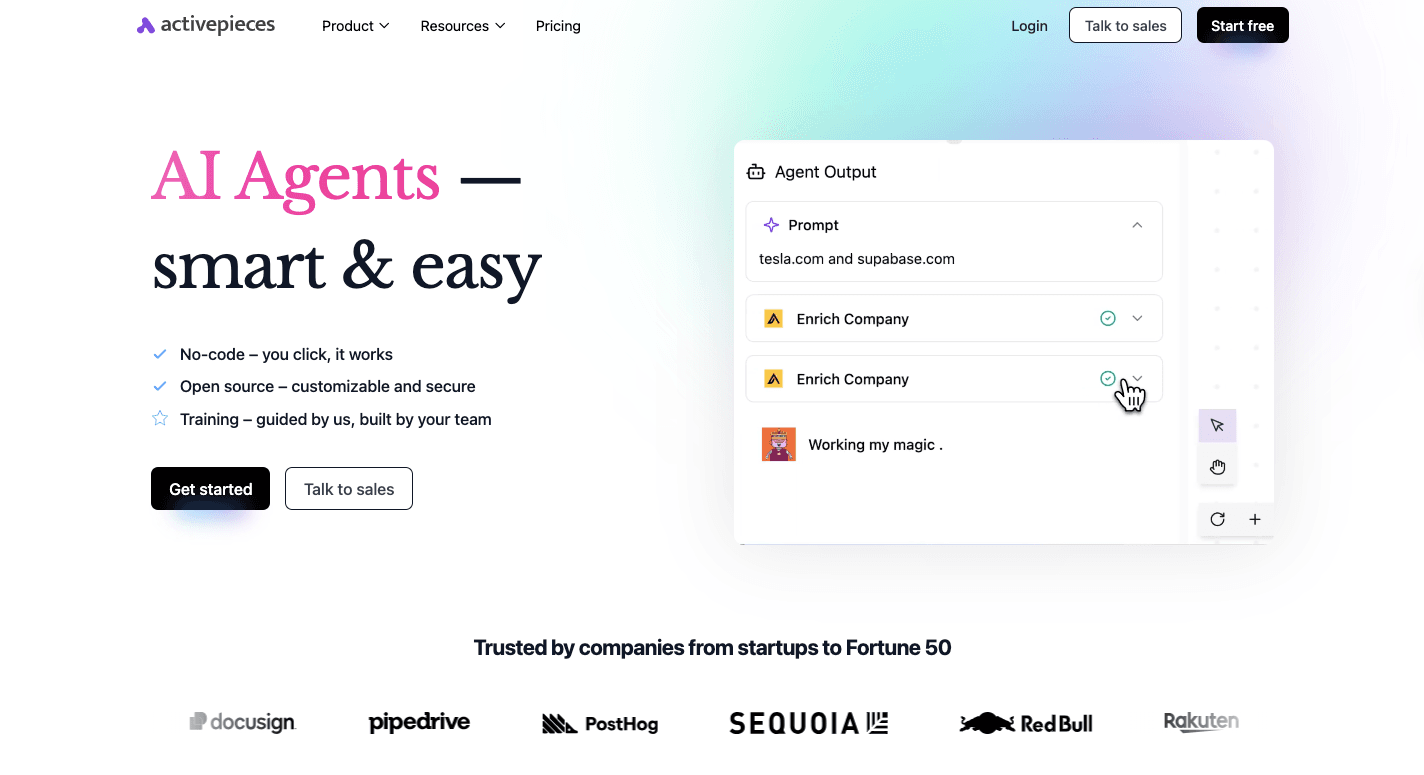
Modern teams deal with a simple problem that turns into a big one fast: work lives in different systems, and people waste time moving info by hand.
Many businesses try basic automation, then hit limits once flows need real logic, real control, and real scale. Activepieces fits modern teams since it offers:
Open-Source Freedom and Transparency
Activepieces uses an MIT license, so you can review code, understand how pieces work, and avoid vendor lock-in. The community also contributes many connectors, which help the ecosystem grow faster than closed tools that depend on a single roadmap.
AI First Automation with Agents and Copilot
AI support helps when data comes in unstructured. Activepieces can use generative AI to summarize lengthy messages, draft replies, and guide routing decisions, then keep humans in charge of approvals.
You can also build agent-driven flows that handle such tasks as:
- Lead research
- Ticket triage
- Document checks with clear guardrails
No-Code Build Speed With Developer Control
Non-technical teams can build flows quickly using a drag-and-drop interface that makes logic easy to see and adjust.
Developers can go deeper when needed, since pieces use TypeScript and support custom logic for internal tools. That mix helps teams avoid a split between "easy" and "power" tools.
Pre-Built Integrations
As of now, there are 544 pre-built integrations you can use, called "pieces." And since it's open-source, that number continuously increases due to community contributions.
Some of the data integrations available include:
- HubSpot
- Google Sheets
- Google AI Studio (Gemini)
- Facebook Ads
- Discord
- Slack
- Shopify
Flexible Deployment for Security and Control
Some teams want self-hosting for tighter control of data and network access, while others prefer managed cloud for speed. Activepieces supports both paths, so deployment can match your security needs and internal policies without limiting automation features.
Either way, the platform can connect different systems and keep workflows consistent.
Human-in-the-Loop and Input Interfaces
Decisions that affect cost, access, or risk shouldn't run automatically. Activepieces can pause flows for approvals, add timed delays, and collect input through built-in forms or chat-style prompts.
With that, you can keep an automated workflow moving while still protecting sensitive actions and key decisions.
Keep sensitive decisions in human hands without breaking workflows. Get started with Activepieces!
Upgrade Your Business Process Automation With Activepieces
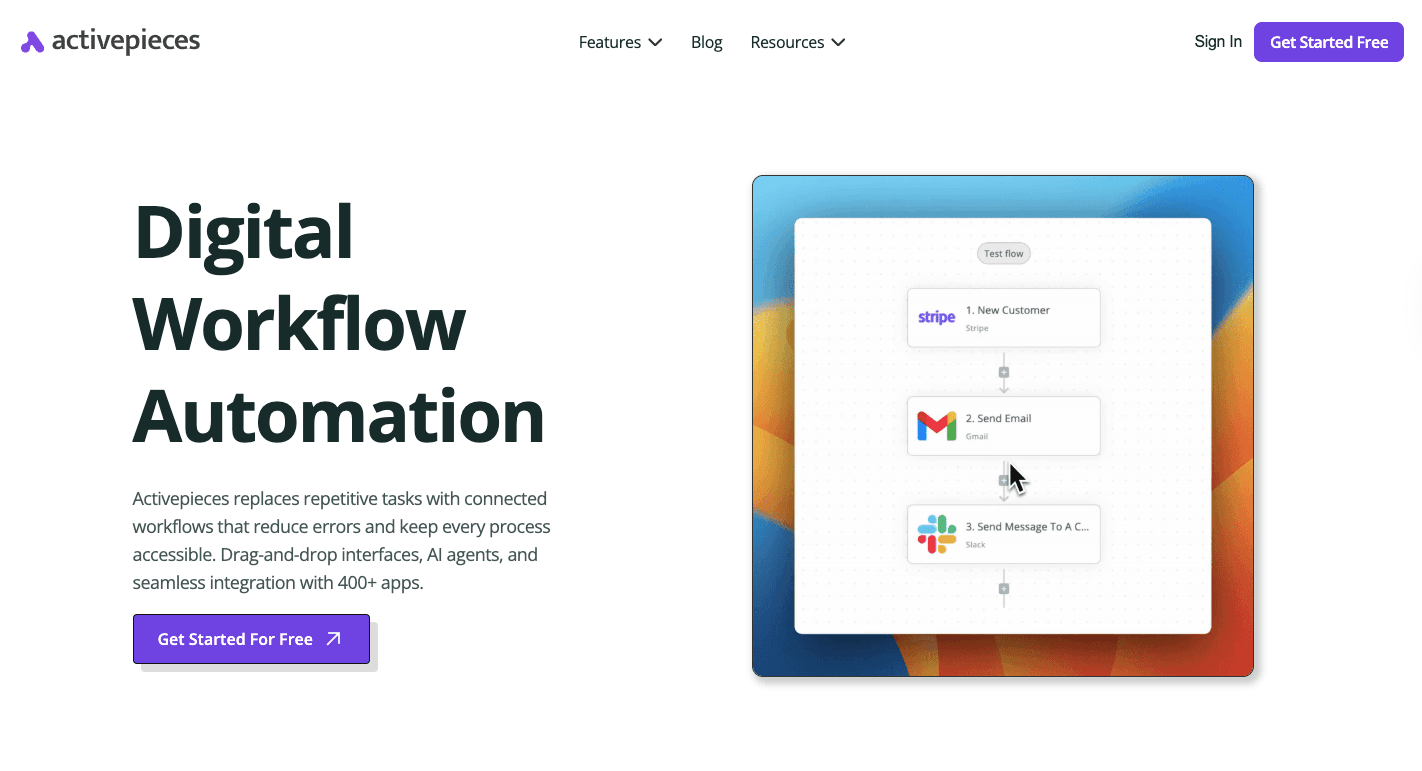
Businesses often start automation with quick wins, then hit limits: approval delays creep in, people fall back to spreadsheets, and the tool stops helping.
Activepieces, a BPA tool, helps you improve efficiency by turning your current processes into automated flows with clear rules, approvals, and system triggers.
Non-technical teams can build flows fast with a no-code builder and a drag-and-drop canvas. Developers can extend pieces in TypeScript, which helps when you need custom logic or an internal connector.
It also supports self-hosting for tighter data control, or managed cloud when speed matters more.
For the pricing, Standard includes AI agents, unlimited MCP servers, unlimited tables, and unlimited runs. It starts free, then costs $5 per active flow per month, which makes it easier to plan than operation-based billing.
Turn everyday processes into reliable automation. Get started with Activepieces!
FAQs About Business Process Automation Platform
What is a digital process automation platform?
A digital process automation platform runs end-to-end workflows with forms, rules, integrations, and tracking, so work moves forward without people pushing every step.
What are BPM platforms?
BPM platforms focus on designing, measuring, and improving how work should run before you automate it at scale. They often include process mapping, governance, analytics, and document management so you can standardize work and prove compliance.
What is business process automation?
Business process automation uses software to run repeatable business steps automatically so that work follows the same logic every time. It replaces manual work, frees valuable employee time, and covers routine tasks, often with advanced technology like AI for routing, extraction, or classification.
What are the best business process automation tools?
The best business process automation tools depend on your stack and how much control you want, but common picks include Activepieces, UiPath, Microsoft Power Automate, Kissflow, and Workato.